

Overview
Before you write your first question, Safi Data asks you to set up the foundation of your survey. This takes less than two minutes and helps the AI assist you more effectively throughout the process.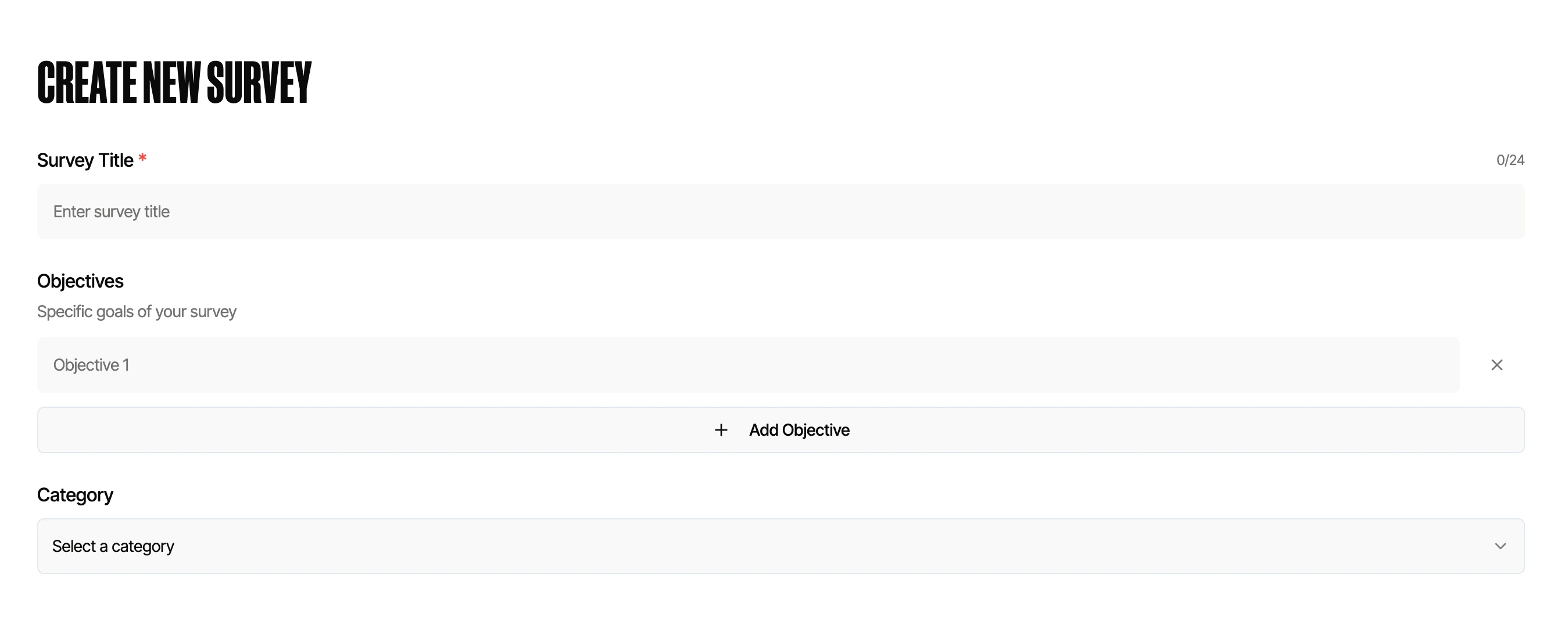
Survey Name
Give your survey a clear, descriptive name. This is what your respondents will see Best practices:- Include the organization name and topic, e.g. “Safi Customer Satisfaction”
- Be specific enough to distinguish it from other surveys in your dashboard
- Avoid vague names like “Survey 1” that become hard to identify later
Objectives (Optional)
Objectives are optional but highly recommended. They serve two purposes:1. Organizing Your Questions
Once you add objectives, each question can be assigned to one. This makes it easy to group and analyze results by theme — for example, separating questions about product experience from questions about customer service.2. Brainstorming Questions
When you move to the question-building step, Safi Data can use your objectives to suggest relevant questions automatically. The more specific your objectives, the more targeted the suggestions will be. Example objectives for a customer experience survey:- Understand satisfaction with the onboarding process
- Identify pain points in product usage
- Measure likelihood to recommend
Survey Category (Optional)
Selecting a category helps Safi Data tailor question suggestions and analysis to your industry or use case.Category selection does not restrict what questions you can ask. It is used to improve AI suggestions and benchmarking in future features.
What’s Next
Once your survey is set up, move on to adding your questions.Setting Up Questions
Add smart questions, multiple choice questions, and configure AI features like probing and logic.