

Overview
The Persona Generator analyses all of your survey responses and automatically creates a set of distinct audience personas - archetypal profiles that represent the different types of people in your dataset. This is particularly useful for product teams, marketers, and researchers who want to communicate findings to stakeholders in a concrete, human way.How It Works
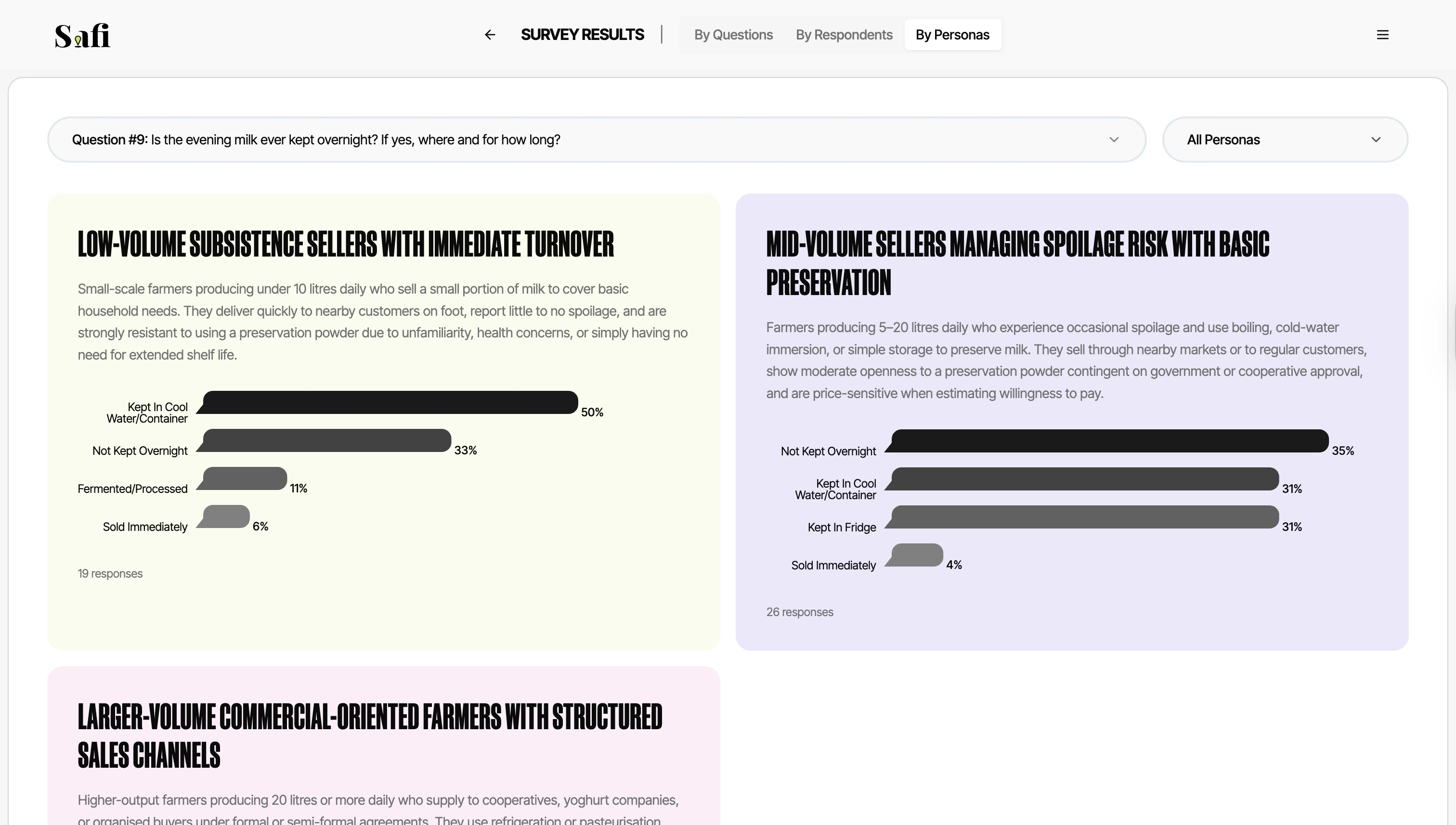
When you click Generate Personas, Safi Data’s AI reads all transcripts and clusters respondents into groups based on shared attitudes, behaviours, and characteristics. Each group is turned into a persona with:- A name and archetype — e.g. “The Cautious Saver” or “The Aspirational Urban Professional”
- A short bio — a paragraph describing who this person is, what they value, and how they behave
- Answers summarized — a bar graph summarizing their responses per question
Generating Personas
- Open a completed or live survey
- Click the Persona Generator tab
- Click Generate Personas
- Wait 30–60 seconds while the AI processes your transcripts
- Review the generated personas
Persona generation requires at least 10 completed responses to produce meaningful clusters. For richer, more differentiated personas, we recommend 30+ responses.
Editing Personas
AI-generated personas are a starting point. You can edit any persona directly:- Click the Edit icon on a persona card
- Update the name, bio, characteristics, or quotes
- Click Save