

Overview
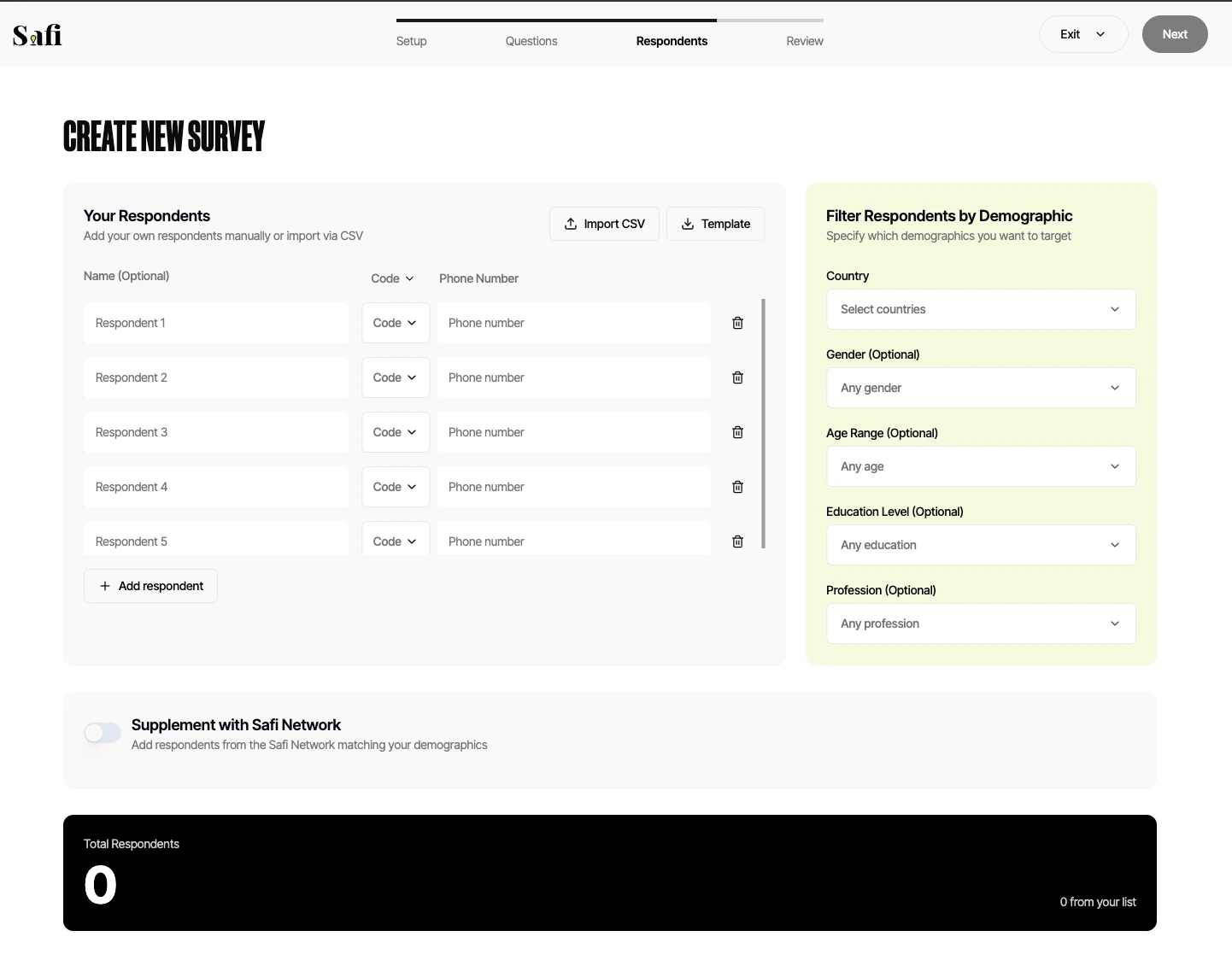
Once your questions are ready, you need to decide who will receive the survey. Safi Data gives you two options: bring your own respondents, and/or tap into the Safi network.Option 1: Upload Your Own Respondents
If you have an existing contact list, you can upload it directly to Safi Data.How to Upload a CSV
Your respondent file must be a.csv file with the following columns:
To upload:
- In the Respondents step, click Upload CSV
- Select your file
- Map the columns to the correct fields if prompted
- Click Confirm
The Onboarding Survey
Every respondent in the Safi network has completed an onboarding survey when they first joined. This survey asks for data collection consent and also collects demographic information such as:- Age and gender
- Location (country, region, urban/rural)
- Education level
- Occupation
- Language preference
Filtering by Demographic
You can filter your list to target a specific demographic before sending the survey. Example filters:- Women aged 25–35 in Nairobi
- Respondents who have completed a Masters Degree in Tanzania
- Farmers in rural Uganda
- After uploading your CSV, click Filter Respondents
- Select the demographic fields you want to filter by
- Set the conditions for each field
- Review the filtered count and confirm
Option 2: Supplement with the Safi Network
If you don’t have your own contacts, or want to reach a broader audience, you can draw from the Safi Network - a panel of opted-in respondents across Africa.- In the Respondents step, click Find Respondents in Safi Network
- Set your target demographic using the same filter tools
- Set your target number of respondents
- Safi Data will match you with qualifying respondents from the network
Safi Network respondents are compensated for their time. Network usage is charged separately from your Safi Data subscription. Contact your account manager for pricing.
Setting a Respondent Goal
After selecting your respondents, set a goal - the number of completed responses you want. The survey will remain active until this goal is reached or you manually close it. Your goal can be less than or equal to the total number of contacts you’ve added. Safi Data will send the survey to contacts in the order they were uploaded until the goal is met.What’s Next
WhatsApp Survey Features
Configure how your survey looks and behaves inside WhatsApp — including welcome messages, translation, voice memos, and the clarifier.